WhatsApp CRM and marketing, in one place
Most businesses that sell on WhatsApp run it from one phone and one person. Messages get missed, follow-ups depend on memory, and nobody can see which enquiries turned into paying customers. QV Connect replaces that with a proper team workspace built on the official WhatsApp Business (Cloud) API.
It works in any browser on desktop or phone, installs on Android and iPhone like an app, and sends an instant alert whenever a customer messages you.
Why businesses choose QV Connect
- No missed enquiries. Every conversation lands in a shared inbox with owners, filters and alerts.
- Follow-ups that run themselves. Welcome messages, payment and renewal reminders and drip sequences go out on time, and stop automatically for customers who have already replied or paid.
- From chat to revenue. See who is on which plan, who has paid, who is ending soon and your monthly recurring revenue, not just message counts.
- Safe for your number. Uses only approved templates outside the 24-hour window and blocks anyone who replies STOP, as WhatsApp requires.
- Your brand, your server. Runs on a dedicated server under your business name, domain and app icon. Your customer data stays yours and can be exported any time.
Features
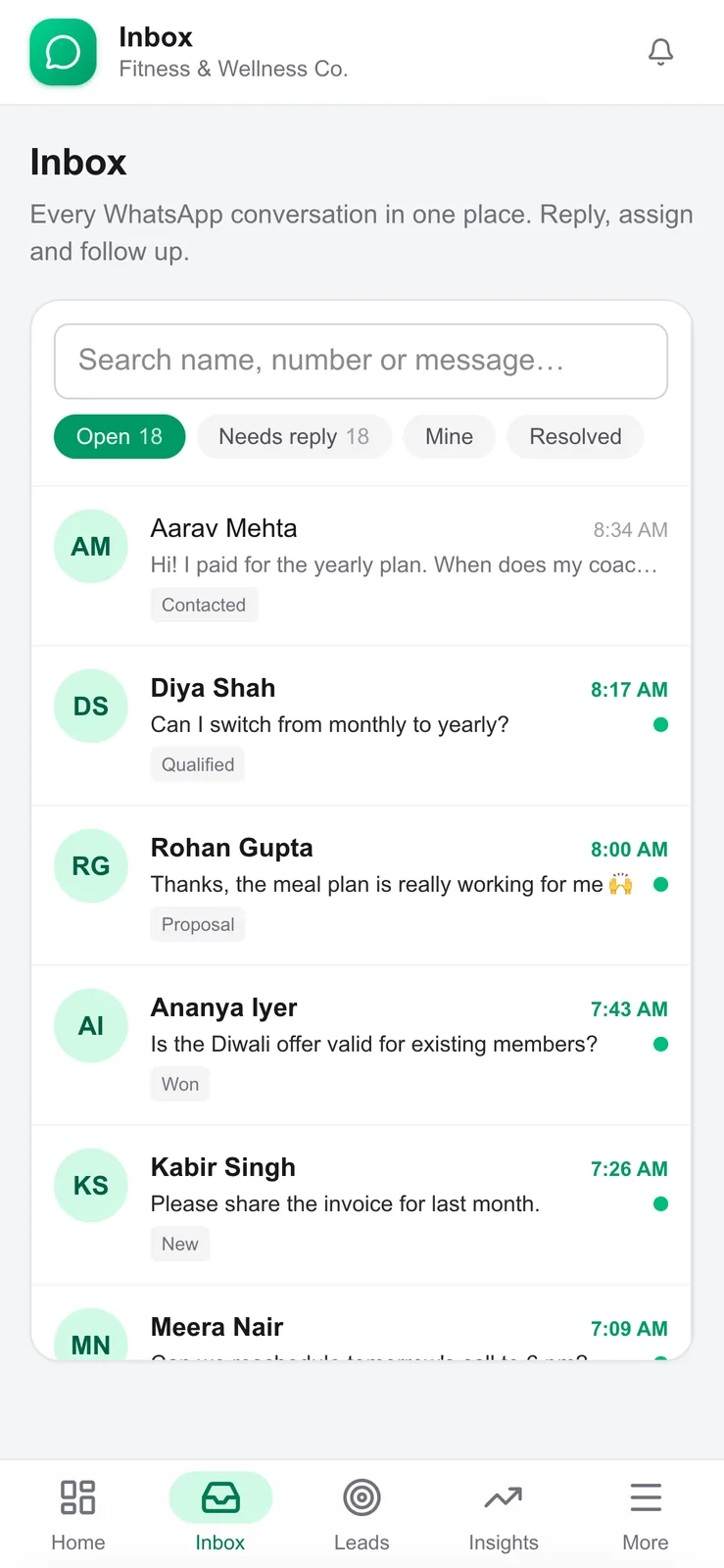
Shared team inbox
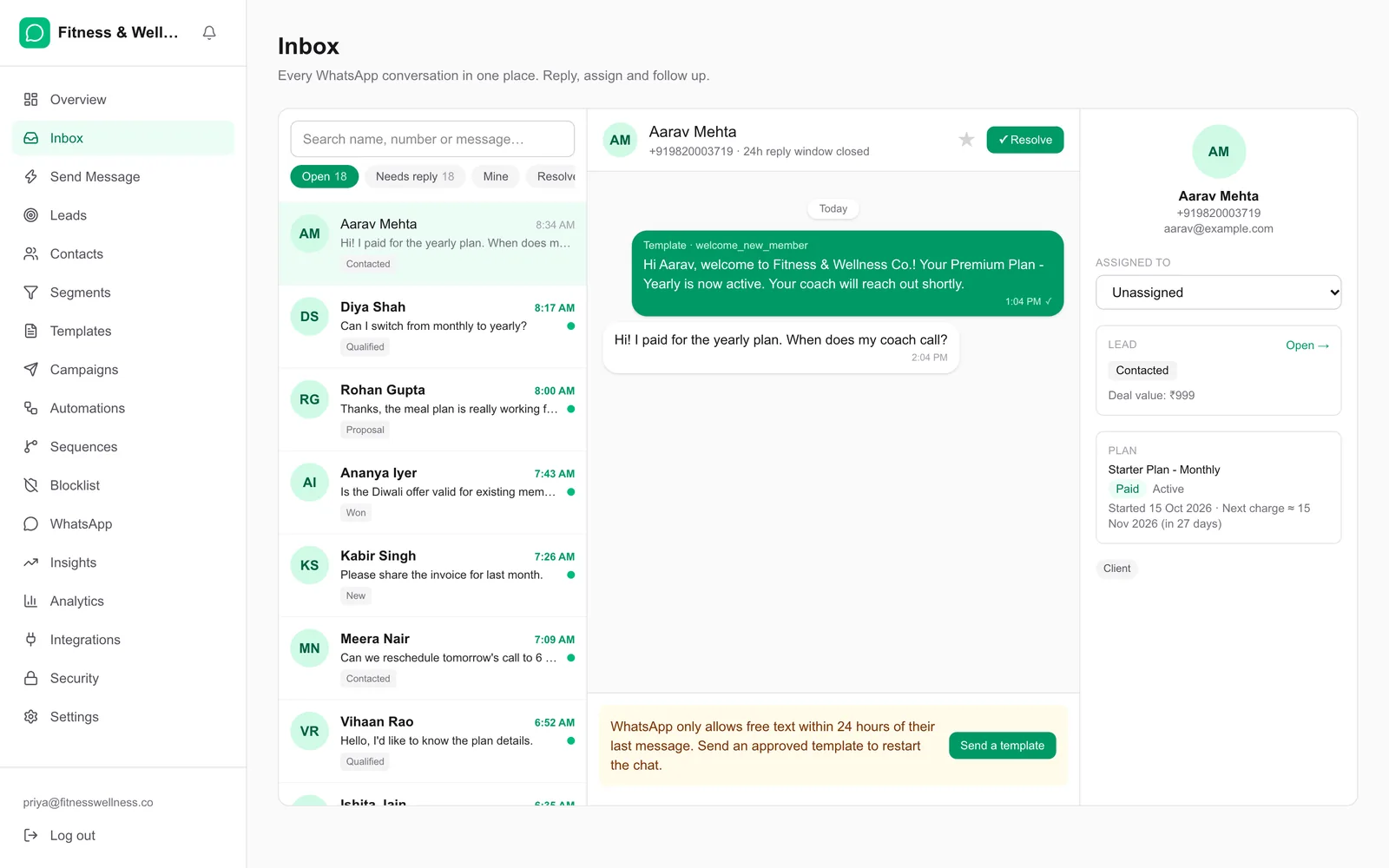
- All WhatsApp conversations in one place, with search and filters: Open, Needs reply, Mine and Resolved
- Assign conversations to teammates, star important chats and mark them resolved
- Reply with text, images and documents within the 24-hour window, or send an approved template outside it
- Saved quick replies and optional smart reply suggestions
- Instant push alerts on phone and desktop
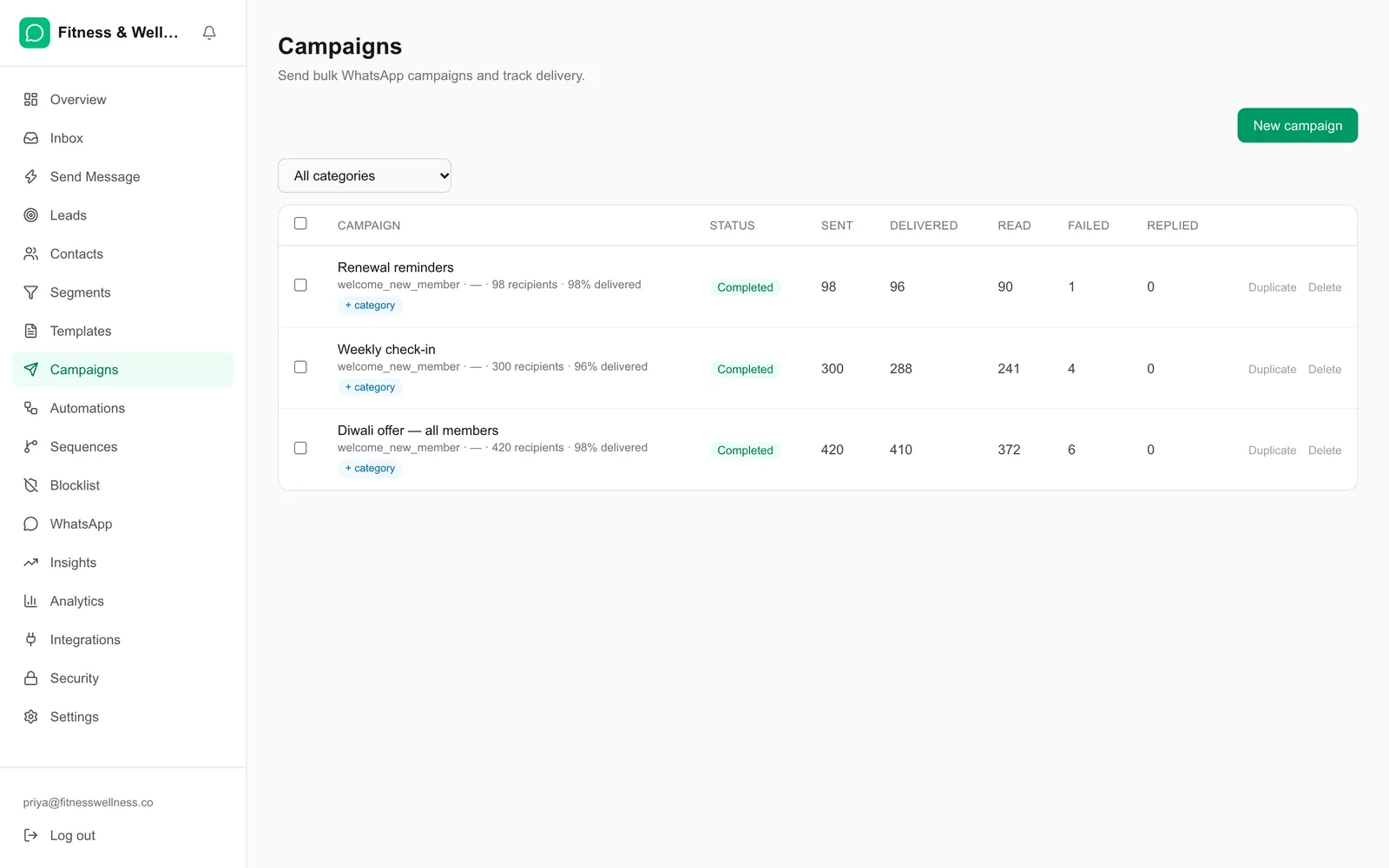
Broadcast campaigns
- Choose a template and an audience: all contacts, a tag or a saved segment
- Personalise every message automatically with name, plan, date and more
- Live sent, delivered, read and failed tracking, with one-click retry for failed sends
- Schedule campaigns for a later date and time
- Automatic opt-out handling
Template manager
- Create, preview and submit WhatsApp templates to Meta from the dashboard, including header, footer and buttons
- Built-in guidance to avoid common rejection reasons
- Approval status synced automatically; templates organised into groups
Automations and sequences
- Trigger messages on events: new contact, message received, purchase, plan starting or ending, or custom events from your own systems
- “Send only when” conditions, for example only for yearly plans
- Multi-step drip sequences with delays
Leads CRM
- Every inbound conversation becomes a lead with stage, owner, notes and follow-up date
- List and board (kanban) views, tasks, reminders and meeting booking
- Duplicate detection, so one customer is never two records
- Reports on response time and team performance
Customers, plans and revenue insights
- Contacts with tags, segments, notes, engagement tracking and CSV import and export
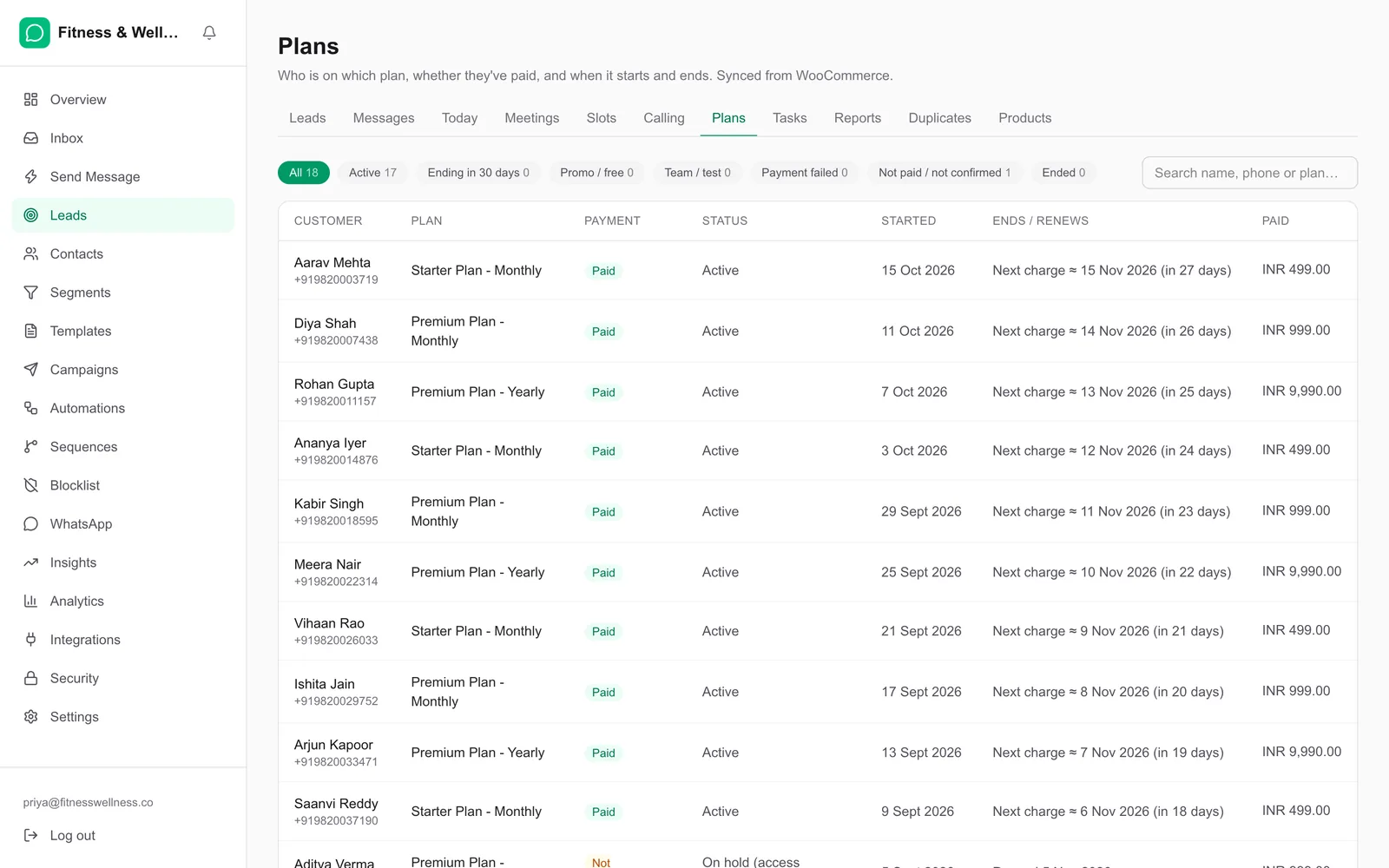
- Plan tracking: current plan, payment status, start and renewal dates, with promo and free customers kept separate
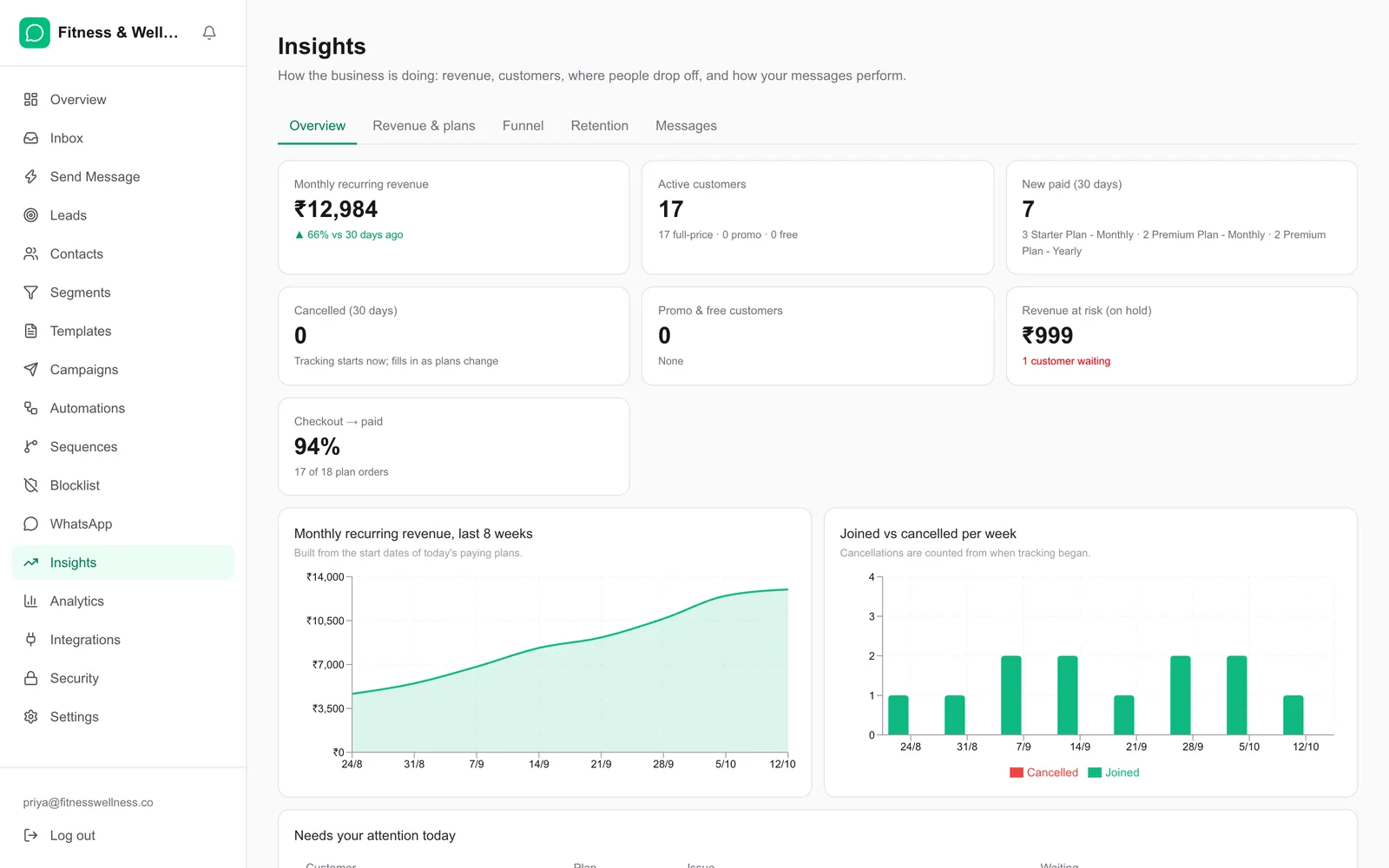
- Insights on monthly recurring revenue, new paid customers, cancellations, funnel, retention and message performance
Integrations
- WooCommerce: orders and customers sync automatically and can trigger messages
- Razorpay: payment confirmations
- REST API and webhooks to connect your own website, app or CRM
Security and control
- Role-based access: owners see everything, agents see only their day-to-day tools
- Two-factor authentication, strong-password rules, activity log and rate limits
- Encrypted credentials, and your data on your own dedicated server
Who it is for
- Subscription and plan businesses: diet and fitness programmes, coaching, courses and memberships
- Clinics, wellness centres and consulting practices that book and follow up with clients
- Online stores that confirm orders, remind and re-engage customers on WhatsApp
- Sales and support teams of 2 to 50 people who get most enquiries on WhatsApp
What you get
- Platform: the full QV Connect dashboard for your team
- Setup: deployment on a dedicated server with your domain and HTTPS, WhatsApp Business API connection, and WooCommerce or Razorpay connection if you use them
- Branding: your business name, domain and app icon throughout
- Data import: your existing contacts imported from CSV
- Templates: your first set of WhatsApp templates written and submitted for approval
- Training: an onboarding session for your team, plus written guides
- Support and updates: ongoing support, new features and security updates
- Ownership: your customer data stays with you and can be exported at any time
What we need from you
- A WhatsApp Business account with a phone number that can be used for the API. Meta’s own WhatsApp messaging charges are billed by Meta directly.
- Your logo and brand name
- Your existing contact list (optional)
Pricing
Pricing depends on the number of team members, the integrations you need and the support level. Select Get a quotation and we will send a clear quote, or ask for a live demo on sample data.